How TradePlan works
From broker statement to a daily discipline verdict in under a minute. Here's the whole flow.
Import your trades
Export an account statement from your broker (thinkorswim, Schwab, or map any CSV) and bring it in two taps — paste it from your computer, AirDrop the file, or open it from Files.
TradePlan rebuilds every round-trip trade to the exact penny, fees included. Nothing leaves your phone.
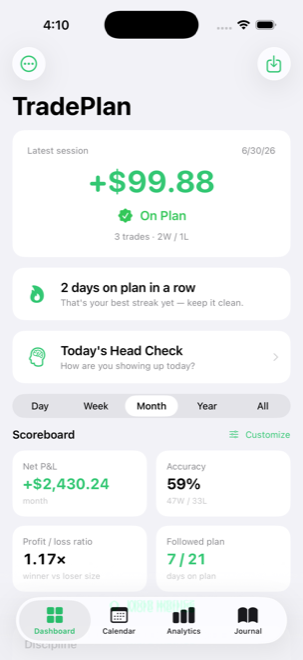
Get your daily verdict
Your P&L tells you if you made money. TradePlan tells you the thing that actually matters: did you follow your plan?
Every session gets a clear On Plan or Broke a Rule verdict, plus your win rate, profit factor, and discipline streak at a glance.
See your month at a glance
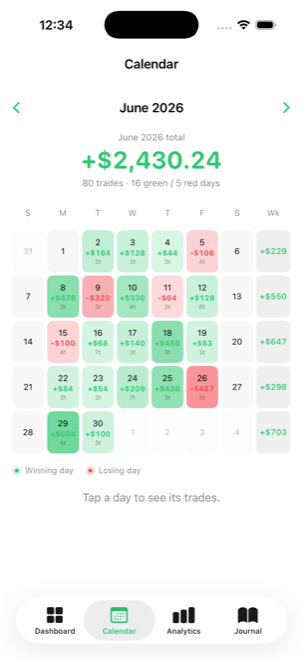
Every trading day is green or red, with daily P&L, trade counts, and weekly and monthly totals. Tap any day to see the trades behind it.
Know what actually works
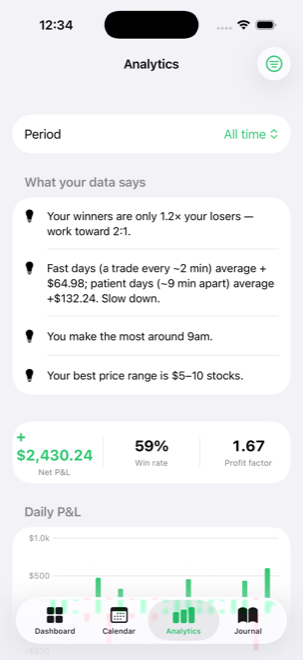
Tradervue-class analytics in plain English: equity curve, profit factor, per-share P&L, best hours, best price ranges, and win rates by setup pattern — so you can double down on what pays and cut what doesn't.
Journal every trade
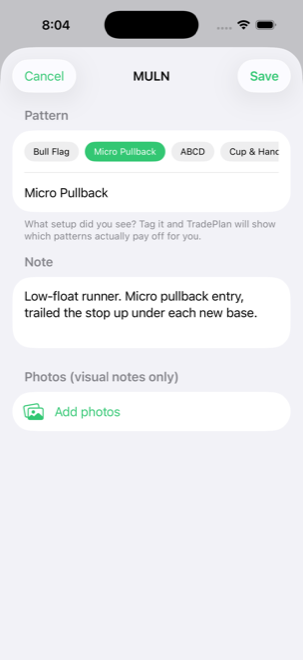
Tag the setup (Bull Flag, ABCD, Cup & Handle…), add a note, drop in a chart screenshot. Then see which patterns actually make you money over time.
Build the discipline habit
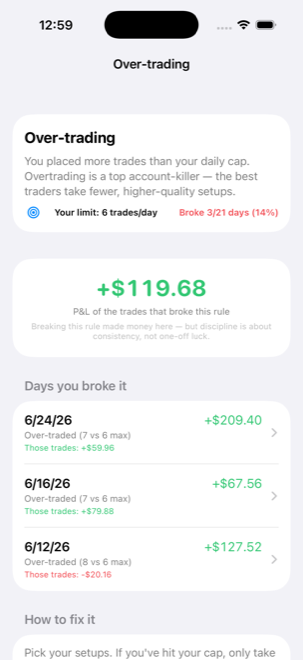
Streaks for days on plan, a per-rule breakdown of what's costing you, and an optional Head Check — log sleep, breakfast, and mindset and see how they line up with your results. Small habit, compounding edge.
That's the whole loop.
Import, get your verdict, track your discipline. Free for 30 days, then $2.99/month — and everything stays on your phone, always.